
You’ve just witnessed a security incident at work. You sit down to write a physical security incident report — but your mind goes blank. What details should you include? How much information is enough? It’s not just frustrating; it’s risky. A poorly written report can leave your organization vulnerable to recurring incidents and legal exposure.
To understand why incident reporting often falls short, we checked out r/securityguards — a Reddit community where security professionals trade stories and advice. Guards there didn’t hold back: common frustrations include reports missing critical details, being overly wordy, or lacking clarity.
Without well-crafted incident reports, security teams face data gaps, missed patterns, and recurring risks. The good news? Modern AI-powered solutions are transforming how teams capture, triage, and act on incident data — turning a painful manual process into an automated advantage.
If you’ve struggled with incident reporting, you’re not alone. Let’s explore the seven most common mistakes and provide actionable solutions to avoid them, reduce stress, and get back to what counts: building a safer, more resilient organization.
1. Missing critical details
The goal of physical security incident reports is to document what happened in a way that’s useful for follow-ups. But when reports lack key information, they fail at this task. Consider this real-world example from a guard who received multiple reports about the same incident:
“The… report was simply: ‘Car parked in unauthorized spot.’ No identification of the car or even where it was parked. How is anyone supposed to act on that?” – Reddit user
Missing details — like exact locations, vehicle descriptions, or timestamps —leave decision-makers guessing. They also prevent security teams from taking meaningful action to prevent similar incidents in the future. This is where AI-guided intake makes a difference: by asking smart, contextual questions in real-time, it ensures every submission captures the critical information needed for effective triage and response.
How to fix it:
- Use a standardized template that prompts for the “5 Ws” (who, what, when, where, and why). Check out our free Incident Register Template to get your started.
- Train staff to double-check reports for completeness before submitting them.
- Leverage AI-powered tools like Resolver’s Incident Management Software which includes prompts to capture every important detail.
2. Overloading reports with irrelevant information
While missing details is one problem, overloading a report with unnecessary information is another common pitfall. Excessive detail can obscure the key facts that matter most.
“One guard wrote a 9-page thesis on parking policies because he got annoyed the client didn’t care about the incident. Nobody wants to read that!” – Reddit user
Long-winded reports frustrate supervisors and slow down incident analysis. They also risk burying important details under layers of irrelevant commentary.
How to fix it:
- Cover the critical facts (“5 Ws”) to create a complete picture of the incident.
- Use AI-guided intake to focus conversations on what matters, filtering out noise while capturing actionable details.
- Avoid opinions or emotional language. (See tip #7 below for more on this.)
3. Inconsistent reporting formats
Inconsistent formats — whether it’s handwritten notes, varying templates, or random word documents — create confusion and make it hard to compare incidents over time.
“One form asks for specific timestamps, another doesn’t even bother. How are you supposed to piece anything together?” – Reddit user
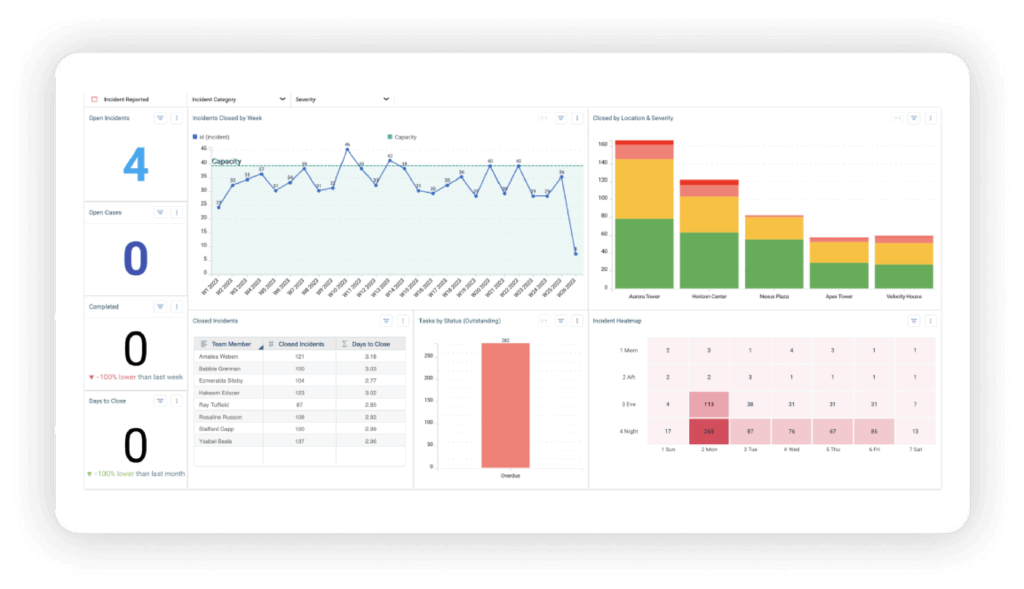
Inconsistent formats for physical security incident reports not only make them harder to analyze, but also complicate training for new team members. Without standardization, patterns and vulnerabilities may go unnoticed. Automated triage solves this by ensuring every incident is classified, tagged, and structured consistently — making reports fully searchable and ready for analysis.
How to fix it:
- Create a centralized digital reporting system so your team can input details directly into a standardized template.
- Implement automated triage that instantly classifies and tags incidents, eliminating manual sorting and ensuring consistency across all reports.
- Regularly review incident reports for format compliance and provide feedback to reinforce standardization.
4. Poor legibility or writing quality
For some teams, handwritten reports are still the norm. While this can work in certain environments, illegible handwriting or unclear phrasing can render a report useless.
“I don’t expect perfect penmanship, but somewhere between legible and ‘written by a squirrel on meth’ would be nice.” – Reddit user
How to fix it:
- Transition to digital reporting whenever possible.
- Use conversational AI intake that turns natural language into structured, searchable data — no handwriting headaches, no interpretation needed.
- Include examples of “good” and “bad” reports in training materials.
5. Incomplete information
Even when reports are legible, incomplete information — whether it’s missing context, omitted actions, or unclear narratives — creates a fragmented view of incidents.
“Incomplete reports leave you guessing and make follow-ups almost impossible.” – Reddit user
How to fix it:
- Use guided templates, like Resolver’s Security Incident Register Template, to ensure all necessary fields are completed.
- Train staff to include enough detail to paint a full picture without overloading the narrative.
- Promptly review physical security incident reports and provide feedback for improvement when needed.
6. Failing to write timely reports
Delays in writing incident reports can result in forgotten details, inaccuracies, and gaps in the timeline.
“Details fade fast. If you don’t write the report right away, you’ll forget important parts—or worse, make mistakes.” – Reddit user
How to fix it:
- Encourage staff to write reports immediately after an incident whenever possible.
- Use mobile-friendly, AI-guided tools that make on-the-go reporting fast and easy so you can capture details while they’re fresh, from anywhere.
- Set clear expectations for when reports must be submitted.
7. Lack of objectivity
Incident reports should document facts, not opinions. Subjective or emotional language can undermine the credibility of a report.
“Drop the opinions and emotional language; it’s your job to document, not editorialize.” – Reddit user
How to fix it:
- Focus on objective, fact-based observations.
- Avoid speculating about motives or outcomes unless explicitly required.
- Leverage AI-guided intake that structures reports around factual prompts, keeping submissions objective and consistent.
Building better practices for your physical security incident reports
“A good template solves so many problems. It keeps everyone on the same page and makes sure nothing important gets left out.” – Reddit user. Clear, consistent, and complete physical security incident reports take them from paperwork to driving a safer organization. By fixing these common mistakes, you’ll be able to:
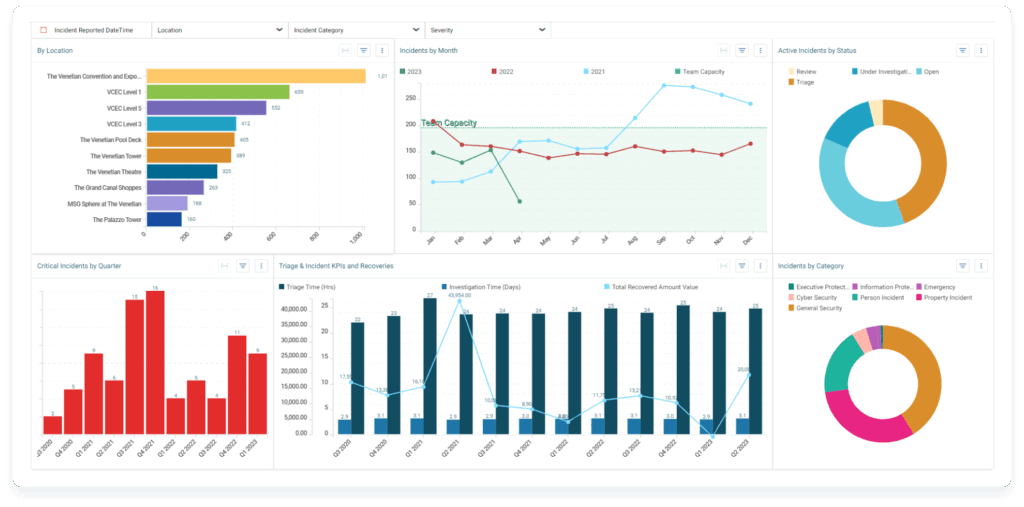
- Turn reports into actionable tools for your team and leadership.
- Spot patterns and fix vulnerabilities before they become larger issues.
- Stay ahead of compliance requirements while reducing liability exposure.
Modern AI-powered incident management eliminates the manual burden of intake and triage, freeing your team to focus on what matters: rapid response and risk mitigation. With automated classification, intelligent routing, and playbook-driven workflows, incidents move from report to resolution faster than ever, resulting in less admin work and more consistent outcomes.
Resolver’s Automated Intake and Triage capability takes the pain out of incident reporting. AI-guided intake ensures complete, structured submissions every time. Automated triage instantly classifies and routes incidents, eliminating manual sorting. And customizable playbooks kick off the right response automatically, so your team never misses a step.
Ready to cut the headache of manual intake and triage? Request a demo of Resolver’s Automated Intake and Triage capability and see how AI-powered incident management can transform your security operations — giving you more time for security, not admin.
